Define the goal
Decide whether you need conversion, viewing, preview export, or support. A clear goal prevents page and tool confusion.
 StitchPilot.ai
AI Embroidery Conversion Workflow
Upload PNG, JPG, WebP, or SVG artwork, tune stitch parameters, and export machine-ready embroidery formats. New: for layered designs with text + AI + decoration, open Studio.
JPG · PNG · WebP · SVG. Upload artwork first, then tune size, palette, quality, and output format.
The contour engine will generate the stitch file before preview.
AI embroidery conversion workflow
StitchPilot.ai helps designers, print shops, and embroidery studios turn PNG, JPG, WebP, and SVG artwork into production-focused stitch files. The workflow recommends sizing, color count, quality level, and output format so each design moves from artwork to machine setup with less manual guesswork.
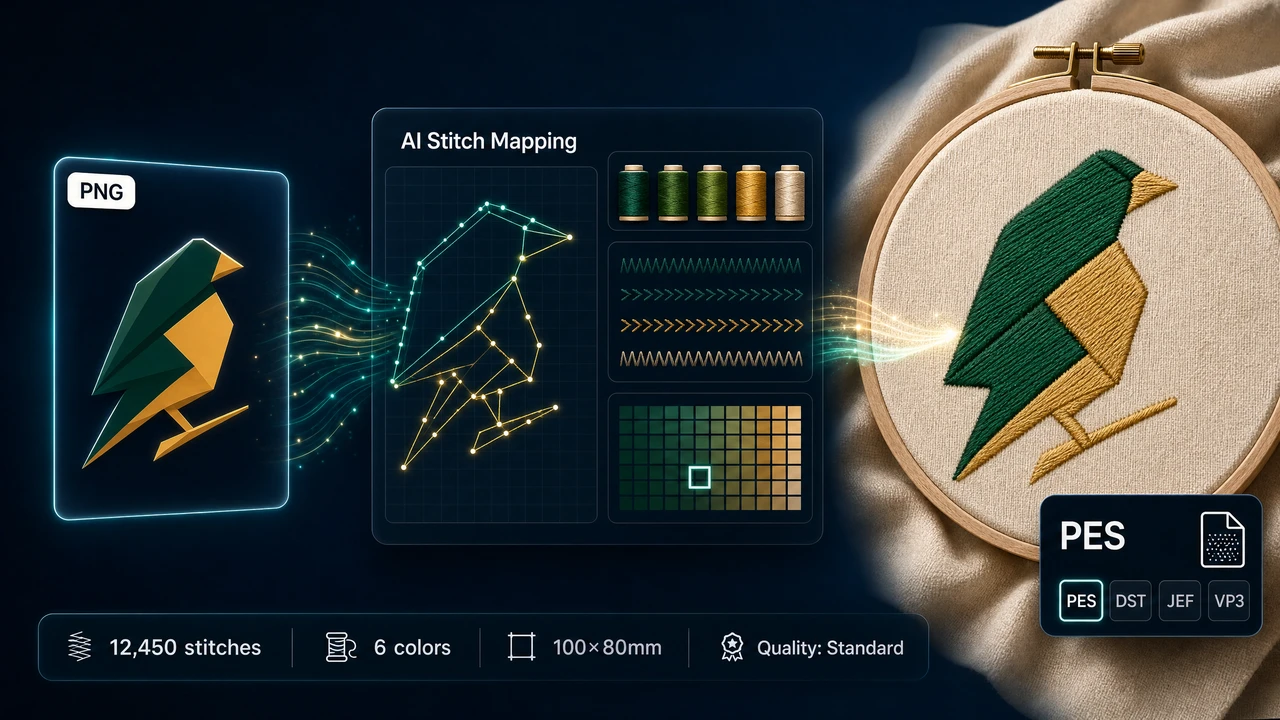
Decide whether you need conversion, viewing, preview export, or support. A clear goal prevents page and tool confusion.
Collect artwork, existing stitch files, expected size, and output format. Better inputs produce more useful previews and support responses.
Check the preview, metadata, and visible design assumptions. Embroidery workflows need human review before production.
Download, share, revise, or contact support as needed. Keeps the workflow action-oriented.
Embroidery workflows combine software interpretation with physical production variables. StitchPilot.ai helps with AI-assisted conversion, preview generation, and file inspection. Fabric, stabilizer, needle, thread, hoop size, and machine settings all affect the final stitched result. Review scale, color assumptions, and density before sending a file to production.
File uploads are handled in plain terms and linked to the privacy page when appropriate. Public-facing copy avoids exposing implementation details. If you need help with an uploaded file, contact support@stitchpilot.ai with the route, file type, browser, and a short description of the issue. Do not include sensitive account credentials in support requests.
Frequently asked questions
This page helps users understand the image to embroidery workflow in StitchPilot.ai and choose the right next step before uploading or sharing a file.
Yes. AI conversion, preview export, and file viewing are workflow aids. You should review scale, fabric, thread assumptions, density, and machine constraints before production.
No. A preview is useful for communication and quality checks, but a physical test stitch is still recommended for important production runs.
Choose the format requested by your machine, software, vendor, or production partner. When in doubt, keep the original artwork and ask the recipient which embroidery format they require.
Contact support@stitchpilot.ai with the route, file type, browser, and a short description of the issue so the support team can investigate.
Use StitchPilot.ai to continue the image to embroidery workflow. Start with the most relevant tool, review the output carefully, and keep your original artwork or embroidery source file for future revisions.
Continue in StitchPilot.ai →