Use case · Embroidery service providers

Share Embroidery Preview Images for Client Approval

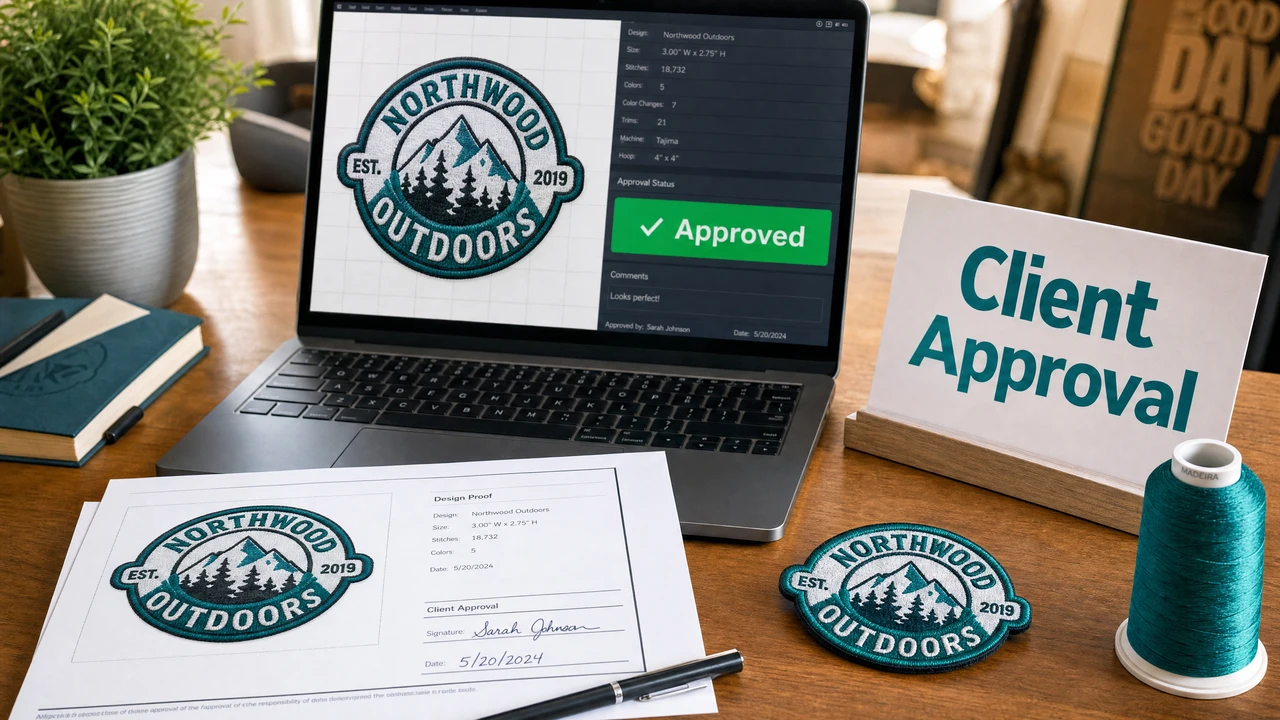
Embroidery service providers can lose time and materials on production runs that didn't match client expectations. StitchPilot.ai converts stitch files to clear PNG preview images — making it easy to share an accurate representation of the design with clients for approval before any thread hits the machine.

Embroidery preview for client approval workflow in StitchPilot.ai
Generate embroidery preview images for client approval in StitchPilot.ai.

Client approval workflow

01

Digitize the client's artwork

Upload client artwork to StitchPilot.ai for AI-assisted digitizing. Review the stitch preview for fill coverage, color zones, and edge quality before generating the client approval preview. This is your quality gate before client review.

02

Generate a preview image

Convert the embroidery file to a PNG preview using the Embroidery to Image tool. The preview shows the actual stitch layout — not a design mockup — giving clients an accurate picture of what the finished embroidery will look like.

03

Share for approval

Send the preview image to the client along with design specifications: size, stitch count, color sequence, and intended placement. Request written or email approval before proceeding to production sampling or the full production run.

04

Produce with confidence

With client approval documented, proceed to a test stitch on scrap fabric, then the full production run. Keep the original artwork, embroidery file, and approval record together for each order. Reference these if revision requests arise.

What to include in an approval package

Clear documentation prevents remakes

A clear approval package reduces back-and-forth, protects your business from "that's not what I approved" situations, and builds client trust. Include all relevant design and production details with every approval request.

  • Stitch preview image on neutral background
  • Design size and intended placement
  • Thread color references (brand and number)
  • Stitch count estimate and color count
  • Any production notes or known limitations

Managing the revision process

Handle changes without losing the thread

Client revisions are common in embroidery service workflows. Keeping original artwork and embroidery source files makes revisions faster and cheaper than starting from scratch. A clear version numbering system helps track what was approved and what changed.

  • Keep original artwork (SVG or PNG) for every order
  • Store the embroidery source file, not just the machine file
  • Number each revision (v1, v2, v3) and document changes
  • Get written approval before any production run

Client approval — common questions

How do I generate an embroidery preview for client approval?

Upload your DST, PES, JEF, or other embroidery file to StitchPilot.ai's Embroidery to Image tool. It converts the stitch file into a PNG preview image showing the design layout and color zones, which you can share with clients via email or messaging.

Can clients approve a design from a preview image without seeing a physical sample?

Preview images are useful for approving design layout, color placement, and scale before a physical sample. However, a physical test stitch is still recommended before production, as fabric texture, thread type, and machine settings affect the final result.

What information should I include when sharing a preview for approval?

Include the preview image, the intended garment or item, the design size and placement, thread color references, stitch count estimate, and any production notes. Clear documentation prevents misunderstandings and speeds up approval.

How do I handle a client revision after approval?

Keep the original artwork and embroidery source file so revisions can be made from the source rather than the machine file. Clearly document what was approved and what changed in each revision round.

Can I use StitchPilot.ai previews for commercial client approval workflows?

Yes. StitchPilot.ai is well-suited for embroidery service providers who need fast, accurate stitch previews for client communication. The preview images are accurate representations of stitch layout and color zones.

Speed up your approval workflow

Generate embroidery previews for client sign-off

Upload any DST, PES, JEF, or VP3 embroidery file and export a PNG preview image to share with clients — no software install required.

Generate preview images →