Upload your artwork
Start with a clean PNG, JPG, SVG, WebP, or logo file. Avoid low-contrast edges, busy backgrounds, or tiny screenshots — clean artwork produces the most predictable stitch result.
 StitchPilot.ai
Format converter · DST output
Turn flat JPG artwork into a DST embroidery file using AI-assisted digitizing with preview checkpoints and machine-ready workflow guidance. DST is a production-oriented format widely used in commercial Tajima-style workflows.
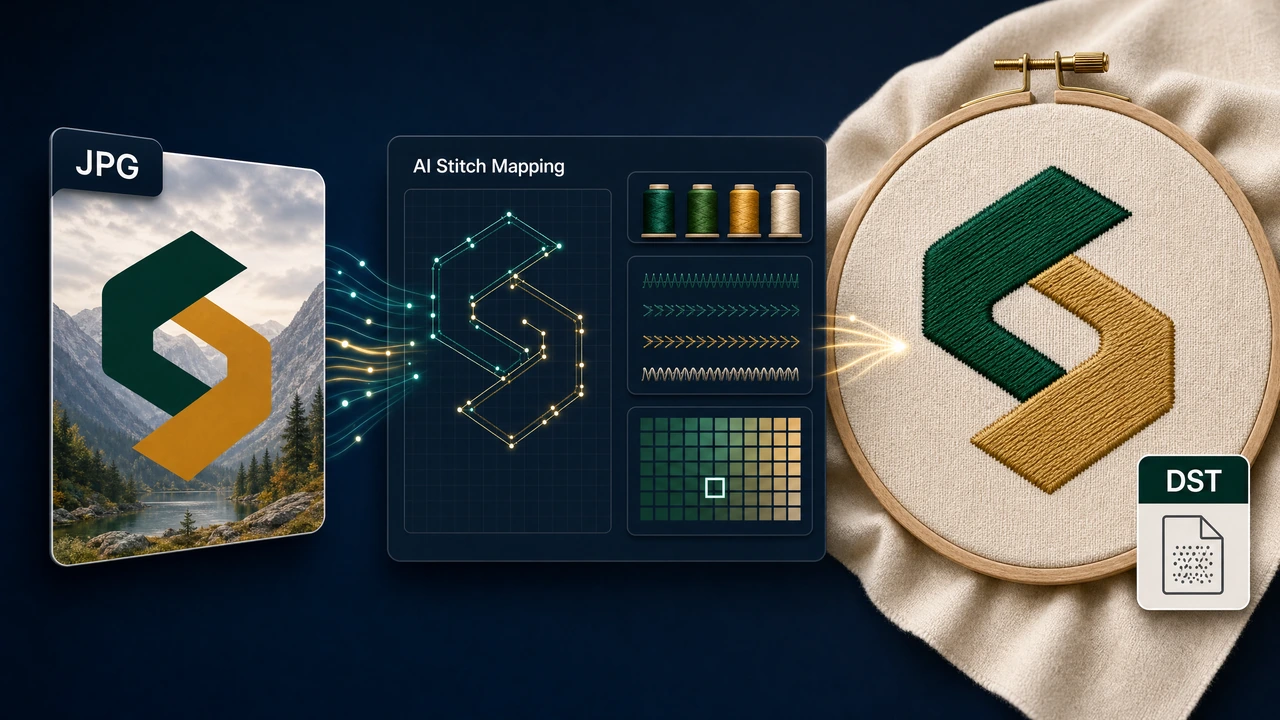
Recommended workflow
Start with a clean PNG, JPG, SVG, WebP, or logo file. Avoid low-contrast edges, busy backgrounds, or tiny screenshots — clean artwork produces the most predictable stitch result.
StitchPilot.ai analyzes shapes, colors, and likely fill areas, then recommends size, color count, and quality settings. AI output should still be reviewed before production.
Check scale, major color zones, and object separation before committing. A visual preview catches issues earlier than a machine run and saves time on test stitches.
Download the file and keep the original source artwork. Different machines and software ecosystems may require different formats — keeping source artwork allows future re-exports.
About DST
DST is a compact stitch command format commonly associated with Tajima-style commercial embroidery workflows. It focuses on stitch data rather than a full editable artwork document, making it well-suited for high-volume production environments.
Quality & privacy
Embroidery involves physical variables that software cannot fully predict. StitchPilot.ai assists with AI-driven conversion and preview generation — the final stitched result also depends on fabric, stabilizer, needle, thread, hoop size, and machine settings.
JPG to DST — common questions
This page helps users understand the JPG to DST workflow in StitchPilot.ai and choose the right next step before uploading artwork or sharing a file.
Yes. AI conversion, preview export, and file viewing are workflow aids. Review scale, fabric, thread assumptions, density, and machine constraints before production. A preview does not replace a physical test stitch.
No. A preview is useful for communication and quality checks, but a physical test stitch is still recommended for important production runs. Fabric, stabilizer, and machine settings all affect the final result.
Choose the format requested by your machine, software, vendor, or production partner. When in doubt, keep the original artwork and ask the recipient which format they require.
Contact support@stitchpilot.ai with the route, file type, browser, and a short description of the issue so the support team can investigate.
Ready to continue?
Upload your JPG artwork, review the AI-assisted stitch preview, and export a DST file ready for your machine workflow.
Start JPG to DST →