Guide · Image preparation

Best Image Types for Embroidery Digitizing

The quality of your input image directly affects the quality of the embroidery file you get out. SVG vector files and clean PNG artwork digitize reliably; photographs and low-resolution images don't. This guide explains what makes an image work well for embroidery digitizing — and how to prepare yours before uploading.

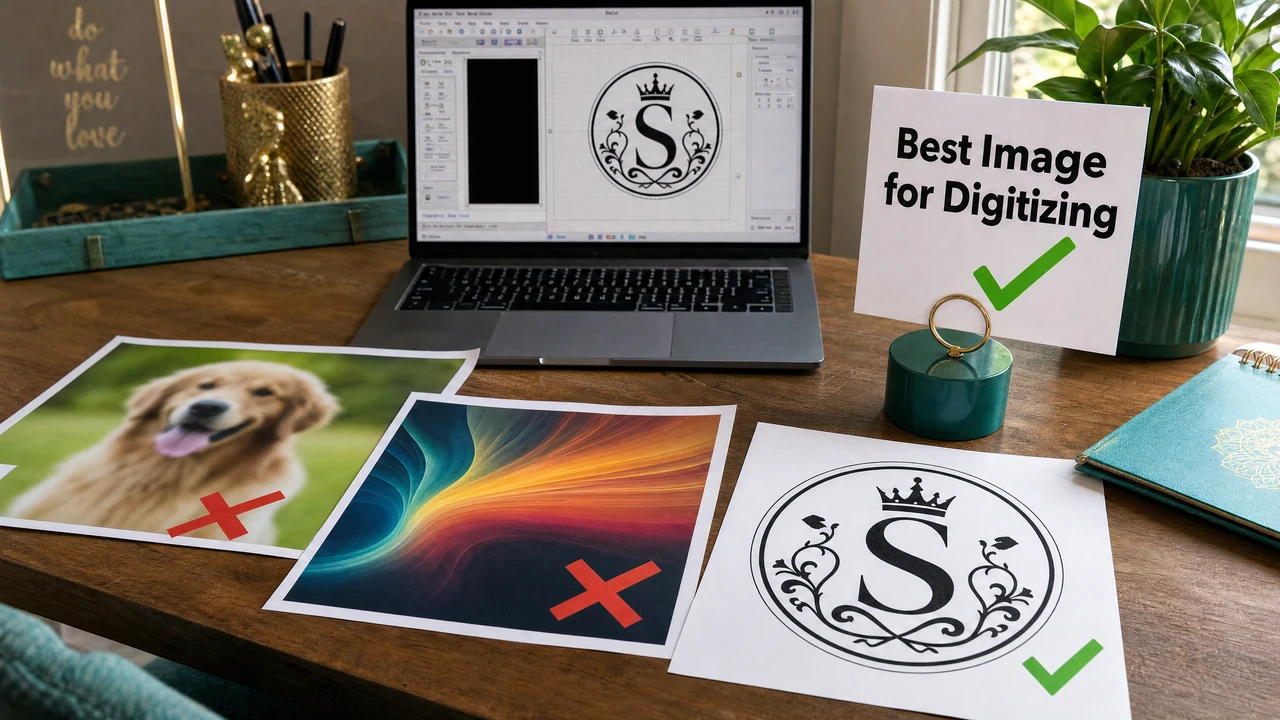
Best image types for embroidery digitizing guide in StitchPilot.ai
Image preparation guide for embroidery digitizing in StitchPilot.ai.

Image preparation steps

01

Choose the right source file

Start with SVG if you have it — vector outlines and explicit color fills produce the cleanest digitizing results. If you only have PNG, ensure it's at 300 DPI or above with a transparent or white background. Avoid JPG screenshots and low-resolution images.

02

Simplify colors and shapes

Reduce the palette to 6 or fewer distinct colors. Remove gradients, shadows, and photographic shading — embroidery uses solid thread colors only. Merge similar hues and eliminate colors that won't translate to thread. Clean up stray pixels and fuzzy edges.

03

Remove the background

Export or crop to a transparent PNG background or a clean white background. Background removal prevents the background color from being interpreted as a stitch zone during digitizing, which improves color region detection accuracy.

04

Consider the final size

Think about how large the design will be embroidered. Small details, thin lines, and fine text become difficult to stitch below certain sizes. Simplify or remove these elements if the final embroidery will be smaller than 50mm wide.

Format comparison

SVG vs PNG vs JPG for digitizing

Not all image formats are equal when it comes to embroidery digitizing. The format affects how accurately color regions are identified, how clean the outlines are, and how much manual correction is needed after the AI conversion step.

  • SVG — best: vector outlines, explicit color fills, scales perfectly
  • PNG at 300+ DPI — good: clean edges, supports transparency
  • PNG at 72 DPI — poor: fuzzy edges, imprecise color regions
  • JPG — avoid: compression artifacts, no transparency support

What embroidery can and can't do

Design within embroidery's constraints

Embroidery is a physical medium with fundamental constraints that affect how designs must be prepared. Understanding these limits helps you prepare artwork that will digitize cleanly and stitch well — and avoid trying to force unsuitable images through the process.

  • Embroidery uses solid thread — no gradients or photo shading
  • Minimum legible text height: ~4–5mm (ideally 8mm+)
  • Fine hairlines thinner than ~1mm may not stitch reliably
  • More than 8–10 colors adds complexity and machine changeovers

Image preparation — common questions

What is the best image format for embroidery digitizing?

SVG vector files are ideal because they have clean, scalable outlines and explicit color regions. PNG files at 300 DPI or above work well for logos and artwork with solid color areas. Avoid JPG screenshots, low-resolution images, or photos with gradients.

Can I digitize a photograph for embroidery?

Photographs digitize poorly because embroidery cannot reproduce gradients, photographic detail, or photorealistic shading. For photo-based designs, commission hand digitizing from a professional digitizer or use a simplified illustration version of the photo instead.

What resolution should my PNG be for embroidery digitizing?

For best results, use PNG images at 300 DPI or higher. Images at lower resolution may produce imprecise outlines and color region detection, which can reduce stitch quality in the final output.

How many colors should my artwork have for embroidery?

Limit to 6 or fewer distinct colors for best results. Each color requires a thread change, which adds time and complexity. Merge very similar colors, remove gradients, and simplify the palette before digitizing.

Should I remove the background from my image before digitizing?

Yes. A transparent background (PNG with alpha) or white background helps the digitizing tool accurately identify design regions. Background removal prevents the background color from being treated as a stitch area.

Ready to digitize?

Convert prepared artwork to embroidery files

Upload your SVG or PNG artwork to StitchPilot.ai for AI-assisted digitizing. Review the stitch preview and export in PES, DST, JEF, or any other format.

Start digitizing →