Guide · Stitch density

What Is Embroidery Stitch Density?

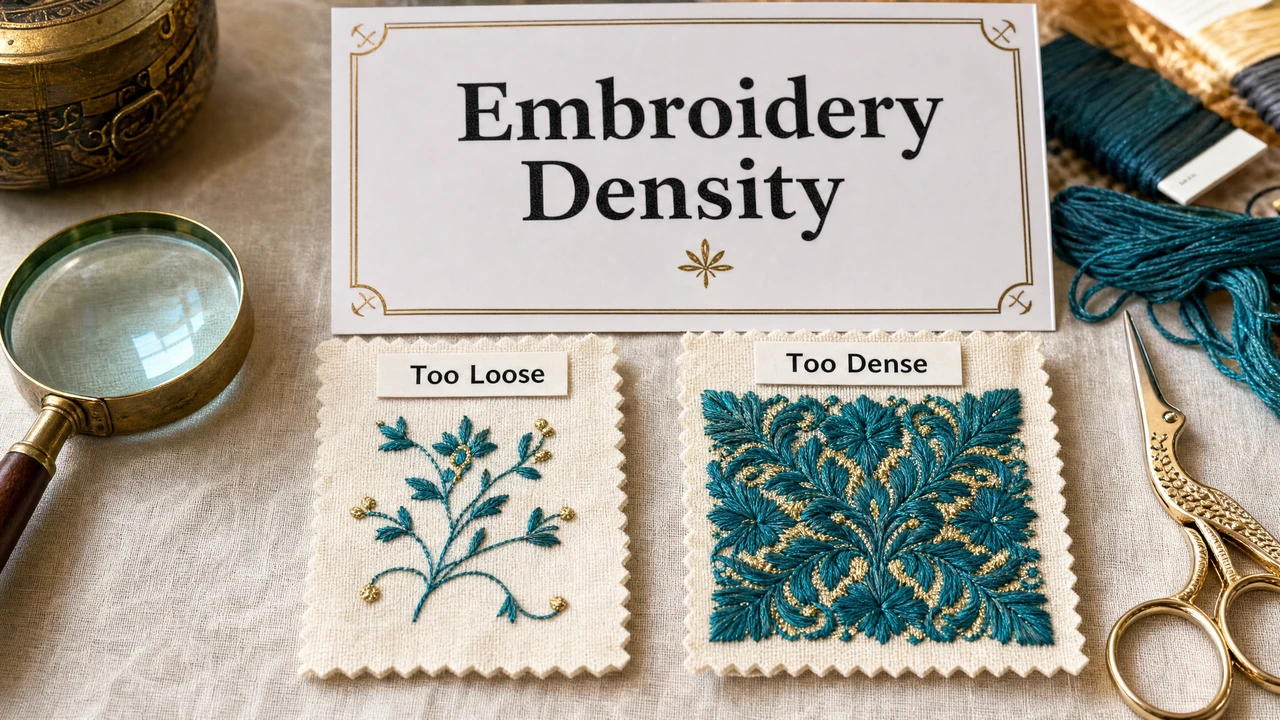
Stitch density controls how tightly stitches are packed together in a filled embroidery region. Get it right and your design looks clean, covers evenly, and feels good on fabric. Get it wrong and you end up with puckering, fabric show-through, or thread breaks. This guide explains what density is, why it matters, and how to approach it.

Embroidery stitch density guide in StitchPilot.ai
Understanding embroidery stitch density settings in StitchPilot.ai.

How density affects embroidery

01

What density means

Density is the spacing between stitch rows in a filled embroidery region. It is typically expressed in mm (e.g., 0.4mm spacing between rows). Lower numbers mean more stitches packed closer together — higher density. Higher numbers mean fewer stitches — lower density.

02

Density and fabric type

Fabric choice directly affects the right density setting. Stretchy fabrics need lower density to prevent distortion. Stiff woven fabrics can handle higher density. Pile fabrics like terry cloth need density carefully tuned to avoid stitches sinking into the pile.

03

Density and stitch count

Higher density = more stitches per mm² = higher total stitch count. For production cost control, density is one of the most direct levers for managing stitch count without compromising design coverage. Review density settings before finalizing embroidery files for production.

04

Testing density settings

Always run a test stitch on the same fabric and stabilizer as your production material. A test stitch reveals density problems — puckering, show-through, or thread breaks — at minimal cost before the production run. Adjust and re-test if needed.

Density by fabric type

Recommended density ranges

These are general starting points for density settings by fabric type. Always test on the specific fabric and stabilizer combination for your project before production. Machine, thread, and stabilizer all affect the final result.

  • Woven twill or canvas: 0.35–0.45mm row spacing
  • Knit jersey or polo: 0.45–0.55mm (lower density prevents stretch)
  • Terry cloth: 0.45–0.55mm + water-soluble topping
  • Fleece or soft fabrics: 0.45–0.55mm + cut-away backing

Signs of density problems

What to look for in your test stitch

When you run a test stitch, these are the indicators that density needs adjustment. Catching density issues in the test stage saves fabric, thread, and time. A preview image helps but cannot replace a physical test for density verification.

  • Puckering: density too high — reduce stitch rows or use less fill
  • Fabric shows through fill: density too low — increase rows
  • Thread breaks frequently: density too high for machine or thread
  • Stitches sink into pile: use water-soluble topping on pile fabrics

Stitch density — common questions

What is embroidery stitch density?

Stitch density is the number of stitches per unit area in an embroidery fill. It is measured in stitches per mm or pull compensation settings in digitizing software. Density determines how tightly packed the stitches are in a filled region.

What happens if density is too high or too low?

Too high density causes the fabric to pucker, the backing to show stress, and thread breaks on thinner fabrics. Too low density makes the fabric show through the fill, giving the design a thin or unfinished appearance.

How does fabric type affect density settings?

Stretchy fabrics like knit jersey need lower density to prevent distortion. Woven fabrics like twill or canvas can handle higher density. Terry cloth and fleece need careful density tuning to prevent stitches from sinking into the pile.

Does AI digitizing set density automatically?

AI digitizing tools like StitchPilot.ai apply density settings based on design regions and common production parameters. The results should be reviewed — especially for unusual fabrics or very small design sizes where density tuning is critical.

Can I adjust density after digitizing?

Yes, in most embroidery software you can adjust fill density after initial digitizing. This typically requires editing the source stitch file (not the machine output file) in software like Hatch, PE-Design, or Wilcom.

Ready to digitize your design?

AI-assisted embroidery digitizing with density optimization

Upload your artwork to StitchPilot.ai for AI-assisted digitizing. Review the stitch preview, check density visually, and export machine-ready files in PES, DST, or JEF format.

Start digitizing →